
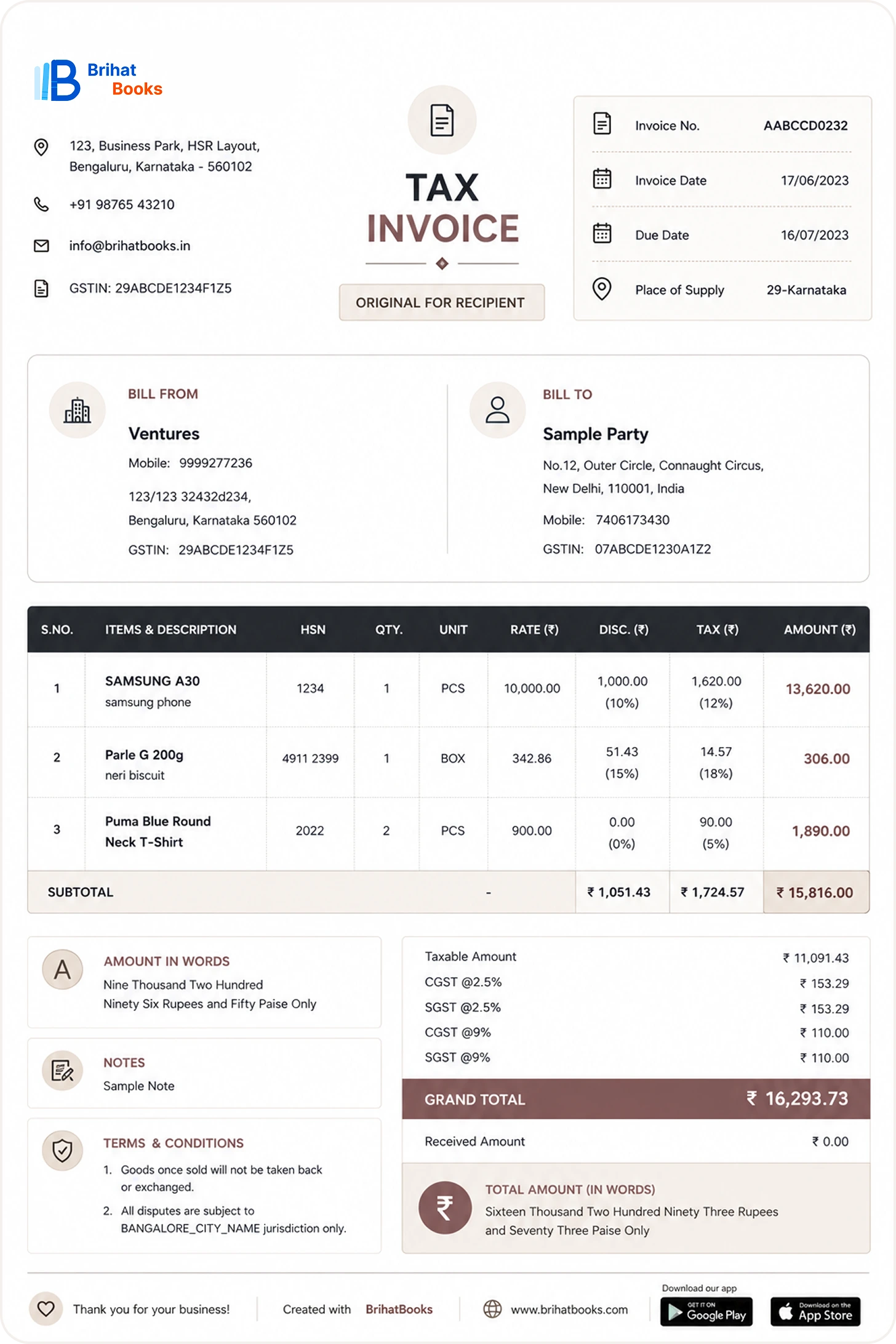
If your business crosses the GST e-invoicing turnover threshold, generating invoices the old way is no longer an option. Under GST, specified businesses must report every B2B invoice to the Invoice Registration Portal (IRP) and obtain an Invoice Reference Number (IRN) with a QR code before the invoice is considered valid. Miss the reporting time limit, and the invoice simply does not exist in the eyes of the GST system. This guide explains what e-invoice means, who it applies to, exactly how to generate one on the portal, how to download it, the 30-day rule, common errors, and what exporters specifically need to know.
What Is E-Invoice Under GST?
Despite the name, "e-invoice" does not mean emailing a PDF to your customer. It is a system where the details of your B2B invoice are reported electronically to the government's Invoice Registration Portal. The IRP validates the data and returns two things:
- IRN (Invoice Reference Number) — a unique 64-character hash generated from the invoice details, which uniquely identifies that invoice in the GST system.
- Signed QR code — containing key invoice particulars, which must be printed on the invoice.
Only after the IRP issues the IRN is your invoice a valid e-invoice. Your existing billing software or ERP still creates the invoice visually — the IRP step is an additional electronic reporting layer on top.
E-invoicing applies to B2B supplies and exports. B2C invoices are not covered under the core mandate.
Who Must Generate E-Invoices? The Turnover Threshold
E-invoicing was rolled out in phases, with the aggregate annual turnover threshold progressively lowered. As of the latest phase, businesses with aggregate annual turnover above 5 crore rupees (indicative — always verify the current notification, as thresholds have changed across phases) must generate e-invoices for B2B supplies.
Key points on applicability:
- Turnover is computed on a PAN-India aggregate basis across all GSTINs of the entity.
- It applies per financial year — crossing the threshold in any year from 2017-18 onwards brings you into the mandate.
- Certain categories are exempt regardless of turnover, such as government departments and local authorities — check the current exemption list.
- If you are covered, every B2B invoice — domestic or export — needs an IRN.
How to Generate E-Invoice on the GST/IRP Portal: Step by Step
There are several ways to report: the IRP web portal, API integration through a GST Suvidha Provider (GSP), or the offline Excel-based tool. The portal route below is what most small and mid-sized businesses use.
Step 1 — Confirm eligibility and enable e-invoicing. Log in to the GST portal and check that e-invoicing is enabled for your GSTIN. If you use a GSP or ERP, ensure it is mapped to an authorised IRP.
Step 2 — Prepare invoice data in the required schema. Your invoice must contain all mandatory fields: supplier and buyer GSTINs, invoice number and date, HSN codes, taxable values, tax rates, and totals. Most errors happen here — validate HSN codes and GSTINs before uploading.
Step 3 — Upload to the IRP. On the IRP portal, choose the upload option (single invoice entry or bulk JSON upload). The portal validates the data against the e-invoice schema in real time.
Step 4 — Receive the IRN and QR code. On successful validation, the IRP generates the IRN and signed QR code. Download both immediately.
Step 5 — Print the QR code on the invoice. The final invoice shared with the buyer must carry the QR code (and IRN). An invoice without the QR code is not a compliant e-invoice.
Step 6 — Auto-population into GSTR-1. Reported e-invoices flow automatically into your GSTR-1, reducing manual return-filing effort — one of the genuine efficiency wins of the system.
How to Download E-Invoice from the GST Portal
You may need to re-download an e-invoice later — for records, buyer requests, or audits. The process:
- Log in to the IRP (or the GST portal's e-invoice section) with your credentials.
- Go to the invoice search/download section.
- Enter the search criteria — GSTIN, invoice number, date range, or IRN.
- Select the invoice and download the signed JSON or the printable version with the QR code.
Keep systematic backups. The IRP retains data for a defined period, but your statutory record-keeping obligation sits with you, not the portal.
The 30-Day Reporting Time Limit Rule
This is the rule that catches businesses out. For taxpayers above a notified turnover level (indicatively, aggregate annual turnover of 10 crore rupees and above — verify the current notification), e-invoices must be reported to the IRP within 30 days of the invoice date. An invoice dated 1 October cannot be reported on 5 November — the portal will reject it.
Practical implications:
- Build IRN generation into your daily billing workflow, not month-end.
- If your billing team batches invoices weekly, the oldest invoice in the batch still counts from its invoice date.
- Rejected late invoices cannot be "fixed" by re-dating — backdating invoices is itself a compliance violation.
Even if you are below the 30-day-rule threshold, prompt reporting is wise: buyers need valid e-invoices to claim input tax credit, and delays strain commercial relationships.
Common E-Invoice Errors and How to Fix Them
GSTIN mismatch. The buyer GSTIN on the invoice does not match GST records. Fix: validate GSTINs against the GST portal before invoicing; maintain a verified master of customer GSTINs.
HSN code errors. Wrong HSN length or an HSN not valid for the product. Fix: map every SKU to a verified HSN in your master data; use at least the mandated digit length.
Duplicate IRN / invoice number reuse. The IRP rejects an invoice number already used in the financial year. Fix: enforce strict sequential, unique invoice numbering per GSTIN per year.
Schema validation failures. Missing mandatory fields or wrong formats (dates, decimals). Fix: use the IRP offline tool to validate JSON before upload, or rely on a tested GSP integration.
Session timeouts on bulk upload. Large files timing out mid-upload. Fix: split bulk uploads into smaller batches and upload during off-peak hours.
Cancelled invoice still showing. Cancellations must be done on the IRP within the permitted window; merely cancelling in your ERP does not cancel the IRN. Fix: build IRP cancellation into your credit-note workflow.
Exporter-Specific Notes: LUT, Zero-Rated Supply, and Shipping Bills
Exporters face a few additional wrinkles:
- E-invoicing applies to exports too. If you are above the turnover threshold, your export invoices also need IRNs — exports are B2B supplies for this purpose.
- Zero-rated supply with LUT. Most exporters supply under a Letter of Undertaking without paying IGST. The e-invoice must correctly reflect the zero-rated nature and LUT details; errors here create mismatches with shipping bills.
- Shipping bill linkage. Customs and GST data are increasingly cross-matched. Ensure invoice values, currency, and buyer details on the e-invoice align with the shipping bill to avoid IGST refund delays.
- SEZ and deemed exports. Supplies to SEZ units/developers also fall under e-invoicing where applicable — confirm the treatment for your specific transaction type.
- Refund documentation. A clean trail of IRN-backed export invoices makes GST refund (ITC or IGST-paid) processing materially smoother.
Practical Tips for Smooth E-Invoicing
- Generate the IRN at the time of invoicing, not later — same-day reporting eliminates time-limit risk entirely.
- Integrate via API/GSP if your invoice volumes are high; manual portal entry does not scale.
- Reconcile IRP-reported invoices with GSTR-1 every month before filing.
- Train your billing team on HSN masters and GSTIN validation — most errors are master-data problems, not portal problems.
- Keep a monthly log of IRN generation failures and their resolutions; patterns reveal systemic fixes.
Frequently Asked Questions
Is e-invoice mandatory for small businesses?
Only if aggregate annual turnover exceeds the notified threshold (indicatively 5 crore rupees currently). Below that, it is optional — but voluntary adoption is allowed.
What happens if I miss the 30-day limit?
The IRP rejects the invoice, and it cannot be reported later. The transaction still needs correct tax treatment, so prevention — same-day reporting — is the only real strategy.
Can I cancel an e-invoice?
Yes, on the IRP within the permitted cancellation window. Cancellation must happen on the portal, not just in your books.
Do I still need to file GSTR-1 if I generate e-invoices?
Yes, but your e-invoices auto-populate into GSTR-1, so filing becomes largely a verification exercise.
Is a printed invoice without a QR code valid?
No. For covered taxpayers, the QR code and IRN are what make it an e-invoice under GST.
Do export invoices need e-invoicing?
Yes, if you are above the turnover threshold — exports are B2B supplies. Ensure LUT and zero-rating details are correctly captured.
Final Word
E-invoicing under GST rewards one habit above all: reporting at the point of billing. Generate the IRN the same day you raise the invoice, validate your masters, reconcile monthly, and the 30-day rule and error pile-ups never become your problem. For exporters, the same discipline pays double — clean IRN-backed invoices mean cleaner shipping-bill matching and faster refunds. Treat e-invoicing as part of billing, not as an afterthought, and it becomes invisible infrastructure rather than a monthly fire drill.