
A step-by-step playbook for finding export buyers on LinkedIn and Sales Navigator — filters, lead lists, InMail and profile optimisation.
LinkedIn is where the world's buyers spend their working day. Import managers, procurement heads and category buyers use it to find suppliers, check credentials and shortlist vendors — often before they ever visit a marketplace. For an Indian exporter, that makes LinkedIn one of the most direct routes to an export buyer: you can find the decision-maker by name, see what their company buys, and start a conversation without an introduction.
This guide is a step-by-step playbook for finding export buyers on LinkedIn and Sales Navigator in 2026 — from optimising your profile, through search filters and lead lists, to InMail outreach that actually gets replies.
Optimise your company and personal profiles first
Before you search for a single buyer, make your profiles worth finding. Buyers check you before they reply, and a thin or confusing profile is the most common reason outreach fails.
For your personal profile, use a professional photograph, a headline that says what you export and for whom (for example, "Export Manager — Indian spices & agro products | Supplying importers in the Gulf & Europe"), and a summary that states your products, MOQ, certifications and markets served. List your company, your role and your export experience. Ask colleagues and customers for recommendations — social proof matters to a buyer who has never met you.
For your Company Page, complete every section: a clear logo and banner, a description written for buyers (products, capacity, certifications, markets), your website and location, and a product showcase if you have one. Post regularly — factory photographs, packing videos, shipment updates, quality certificates. A Company Page that has posted nothing in a year looks abandoned, and buyers notice.
Search filters: finding importers and procurement heads
LinkedIn's free search is more powerful than most exporters realise. Start with the job titles your buyer holds: "import manager", "procurement manager", "sourcing manager", "category buyer", "purchasing director" or "owner" at importing companies. Combine a title with a keyword for your product and a location.
Useful filter combinations include: title plus industry (for example, "import manager" in food and beverages), title plus location ("procurement head" in United Arab Emirates), and company plus title (search within a company you found through trade data). LinkedIn also lets you filter by company size, which helps you match buyers to your capacity: a mid-sized exporter should target mid-sized importers, not the largest retail chains.
Save the searches that work. LinkedIn lets you save searches and set alerts, so new people matching your criteria appear in your feed. Build three or four saved searches — one per target country or product — and check them weekly.
Sales Navigator: lead lists and saved searches
Sales Navigator, LinkedIn's paid sales tool, is worth the subscription once you are serious about LinkedIn prospecting. It adds the filters that matter for exporters: company headcount growth, recent job changes, posted content, and detailed geography — plus the ability to build lead lists and saved searches that update automatically.
Build lead lists by segment: one list per product and country, for example "Spice importers — Gulf" or "Home textile buyers — Europe". Add people only when they match your buyer profile; a list of fifty well-matched leads beats five hundred random contacts. Review each list monthly, remove people who changed jobs, and add new matches from your saved searches.
Use the "Posted on LinkedIn" and "Changed jobs" signals. A procurement head who recently joined a new importer, or a buyer who just posted about sourcing a product you sell, is far more likely to reply than a cold name on a list. These buying signals are the real value of Sales Navigator — they tell you when to reach out, not just who to reach out to.
InMail and connection requests that get replies
Outreach on LinkedIn fails when it reads like spam. Keep connection requests short and personal — under 300 characters, mentioning something specific: "Hello [Name], I export [product] from India and noticed [Company] imports [product category]. Would love to connect."
For InMail, four short lines work best: who you are, what you supply, one proof point and a simple question. For example: "Hello [Name], I run [Company] in [City], India. We manufacture [product] and currently supply importers in [country]. Would you be open to our catalogue and indicative price list? We work on [payment terms] with an MOQ of [quantity]." Mention their country, their product range or a recent post of theirs. Never attach a brochure to the first message, never claim to be the "leading manufacturer", and never send the same message to fifty people.
Follow up once or twice: a second message after four days with one useful addition (a photograph, a certification or an indicative price), and a final short check-in after ten days. Most replies come after the second message. If there is no reply, move on gracefully — a polite exit keeps the door open.
Content that attracts buyers to you
Outreach is only half of LinkedIn. The other half is content that makes buyers come to you. Post twice a week about things a buyer cares about: your products and their specifications, your factory and quality checks, your packing and container loading, your certifications, and the markets you serve.
Short videos work best — a thirty-second clip of production, packing or a shipment leaving your warehouse says more than a brochure. Write captions that answer buyer questions: grades, pack sizes, MOQ, lead times, payment terms. Use hashtags sparingly and relevantly (#export, #sourcing, plus your product category). Over time, this builds a visible record of a real, active exporter — exactly what a cautious buyer wants to see before replying.
Groups and trade communities
LinkedIn groups and trade communities are useful for learning and for visibility, if you choose well. Join groups where your buyers gather — import-export groups for your target region, product-specific sourcing groups, and groups run by trade bodies and EPCs. Contribute before you promote: answer questions, share useful information, comment on other people's posts.
Groups also reveal demand. When members ask for suppliers, recommendations or price indications, you see real buying intent. Respond helpfully and in public where appropriate; buyers remember the exporter who gave a straight answer. Avoid groups that are mostly sellers promoting to each other — your buyers are not there.
Measuring results — and where TodayAdviser fits
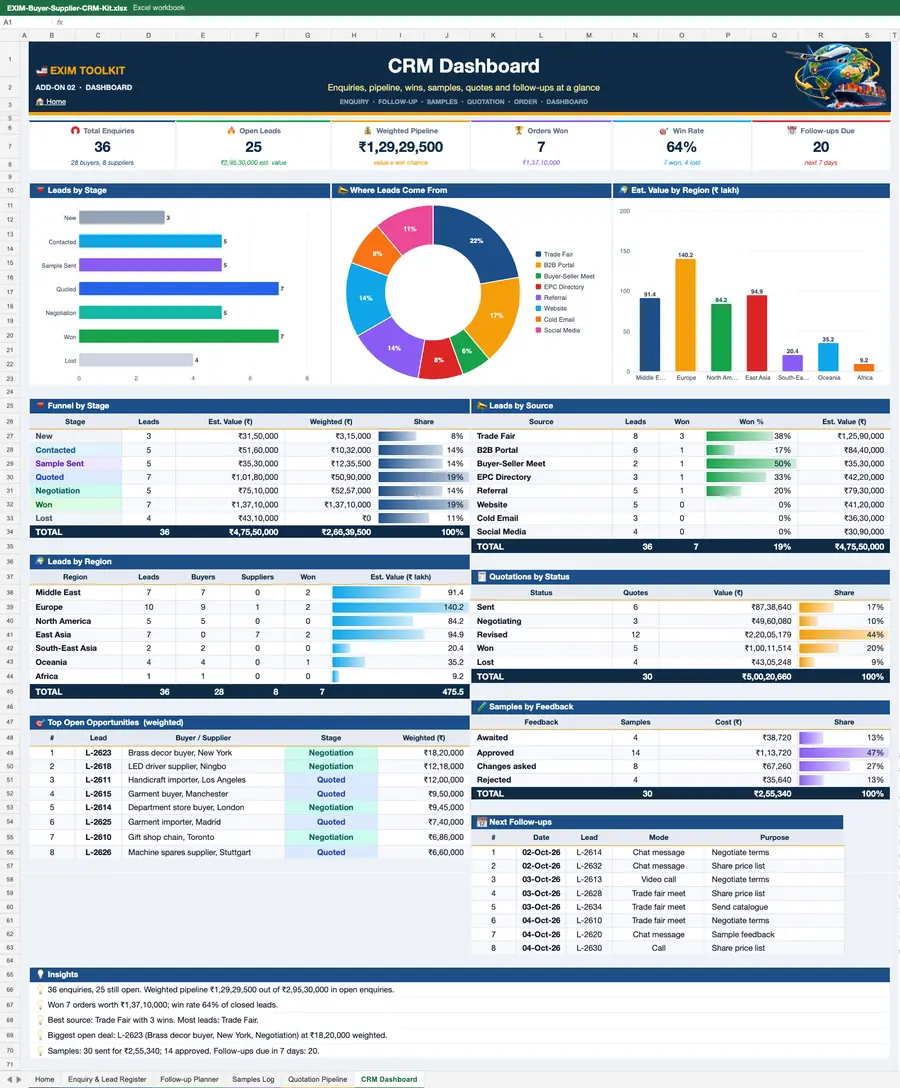
Treat LinkedIn like any sales channel: measure it. Track connection requests sent, acceptance rate, replies, conversations that reach quotation stage, samples sent and orders won. A healthy pipeline has about thirty live conversations at any time. If your acceptance rate is below a third, your profile or your message needs work; if replies are rare, your targeting is too broad.
LinkedIn works best as part of a system, not on its own. Combine it with trade data to find the right companies, with the TodayAdviser buyer directory for live buy leads, and with marketplace listings so buyers who find you on LinkedIn can verify you elsewhere. If you want buyers to find you as well, post your product requirement on TodayAdviser and keep your listings current.
Frequently asked questions
Is LinkedIn free enough to find export buyers?
Yes, to start. Free search, connection requests and posting can produce real conversations. Sales Navigator becomes worth paying for once you prospect weekly — its lead lists, saved searches and buying signals save hours and improve targeting. Verify current pricing before subscribing.
How do I find importers on LinkedIn?
Search by buyer job titles (import manager, procurement head, category buyer) combined with your product keyword and target country. Cross-check companies against trade data to confirm they actually import your product, then find the right person at each company.
What should I write in a connection request to a buyer?
Keep it under 300 characters, personal and specific: who you are, what you export, and why you are connecting with them. Mention their company or country. Avoid sales pitches in the request itself — save those for after they accept.
How many InMails should I send per week?
Quality beats volume. Twenty well-targeted, personalised messages a week will outperform a hundred generic ones, and LinkedIn also limits how many you can send. Track reply rates and refine your message rather than increasing volume.
How do I know if a LinkedIn buyer is genuine?
Check their profile history, company page and connections, verify the company independently, ask for trade references, and start with a small trial order on advance payment or LC. Use your bank or ECGC for credit checks before shipping.
Should I use Sales Navigator or the free version?
Start free to learn the search and build your first lists. Upgrade to Sales Navigator when you prospect regularly and need lead lists, saved searches and buying signals — it pays for itself if it produces even one or two extra qualified conversations a month.